White space I cannot find and remove - help please

Sorry to ask so much for help. I can't find where the white space between the four blocks above the footer with the address comes from? It's way too much empty space and I want to remove it. The menu in the footer does not have it; the blocks don't have empty space below the content in anyone of them. I have looked for css defining "first bottom" "second bottom" etc. but can't see anything in the style sheet. I have also looked at the templates, page.tpl.php etc. but nowhere does it give me a clue. How can I remove that empty white space (I know, tautology) thanks, Pia <http://hsd.piasworld.com>

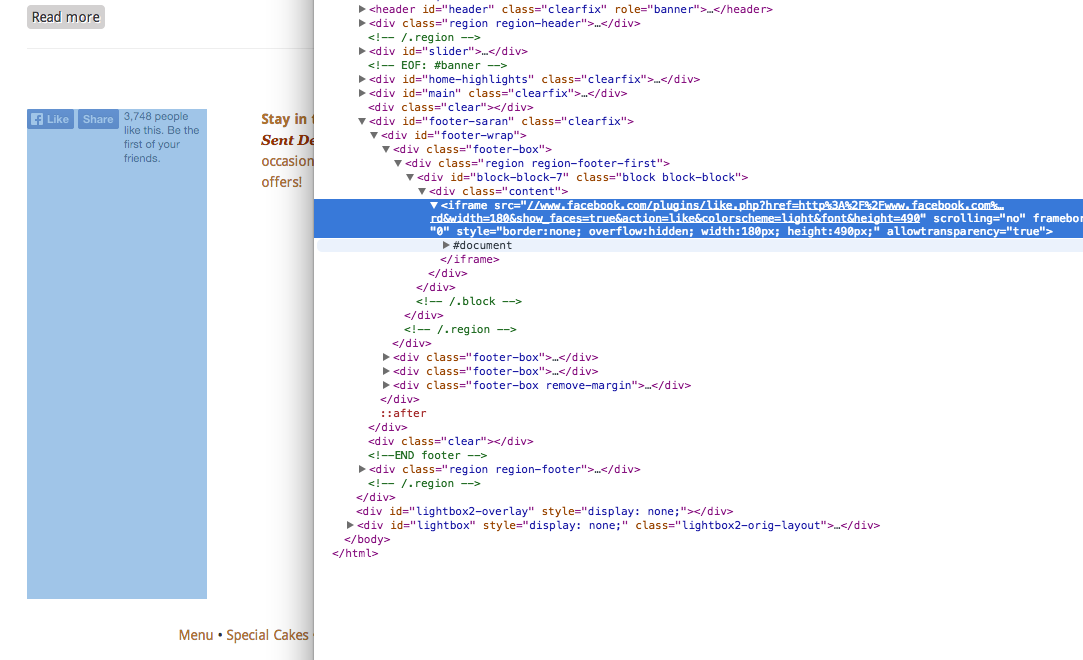
I use the developer "inspect element" option in Chrome to find the settings that affect page appearance. See attached screen shot. On Sat, Nov 29, 2014 at 8:56 PM, Pia Oliver <pia@piasworld.com> wrote:
Sorry to ask so much for help. I can't find where the white space between the four blocks above the footer with the address comes from? It's way too much empty space and I want to remove it. The menu in the footer does not have it; the blocks don't have empty space below the content in anyone of them. I have looked for css defining "first bottom" "second bottom" etc. but can't see anything in the style sheet. I have also looked at the templates, page.tpl.php etc. but nowhere does it give me a clue.
How can I remove that empty white space (I know, tautology)
thanks,
Pia
-- [ Drupal support list | http://lists.drupal.org/ ]
participants (2)
-
 Linda Romey
 -
 Pia Oliver