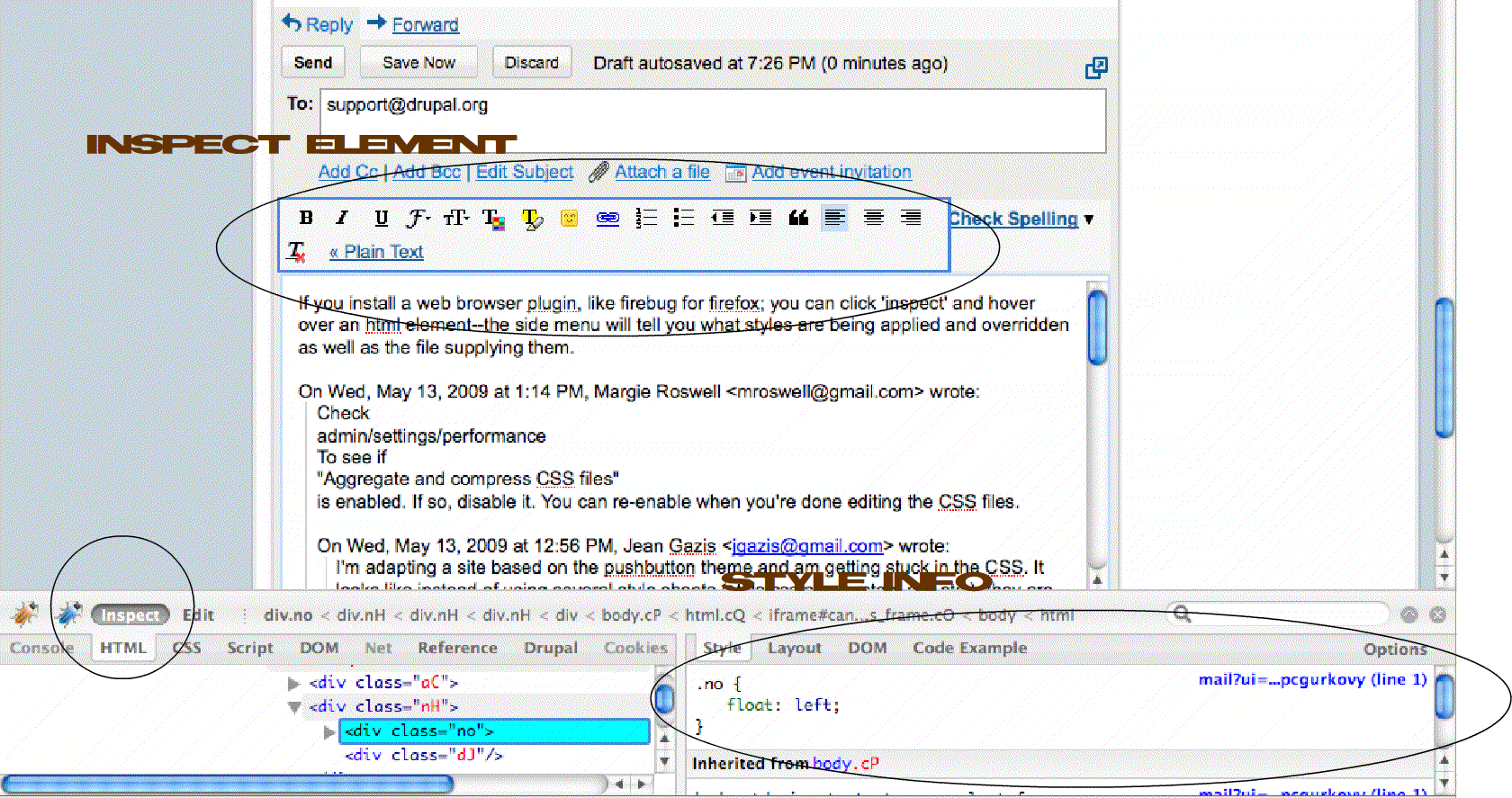
If you install a web browser plugin, like firebug for firefox; you can click 'inspect' and hover over an html element--the bottom side menu will tell you what styles are applied and overridden as well as the file supplying them. Additionally, you can edit the css on the fly.
Cheers, Tim
On Wed, May 13, 2009 at 1:14 PM, Margie Roswell mroswell@gmail.com wrote:
Check admin/settings/performance To see if "Aggregate and compress CSS files" is enabled. If so, disable it. You can re-enable when you're done editing the CSS files.
On Wed, May 13, 2009 at 12:56 PM, Jean Gazis jgazis@gmail.com wrote:
I'm adapting a site based on the pushbutton theme and am getting stuck in the CSS. It looks like instead of using several style sheets (style.css plus system.css etc.), they are all being aggregated in a temporary .css file, with a name like "770fjlp987d67ni9y773po6494.css", so when I go to a new page, the css file changes.
How can I edit the correct CSS files?
................................................................................. Jean Gazis www.jeangazis.com www.boxofrain.com 212-937-7654
"They say that time changes things, but you actually have to change them yourself." – Andy Warhol
.................................................................................
-- [ Drupal support list | http://lists.drupal.org/ ]
-- Margie http://www.BaltimoreUrbanAg.org http://www.FriendlyCoffeehouse.org http://www.packtpub.com/drupal-5-views-recipes/book
-- [ Drupal support list | http://lists.drupal.org/ ]