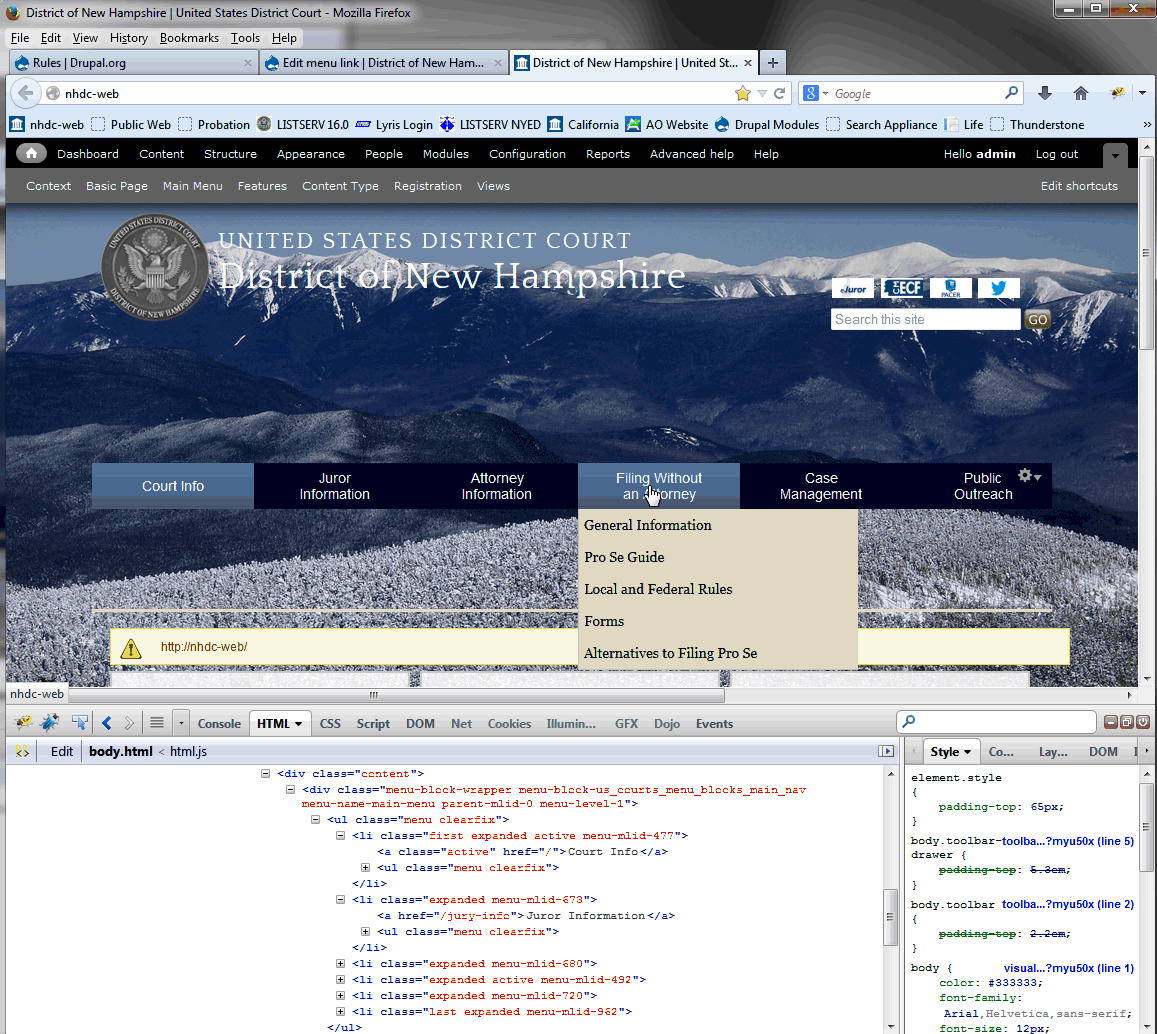
Hmm, I'm not giving up on the idea of creating a rule just yet. I created a rule to throw up a warning on page init (something like that). So, I have the "when" to do it figured out. You can see that the "Court Info" "a" tag has the "active" class assigned to it. Looks like I just need to get rid of the class assignment (make it class=""). so it looks like the Jury-info <a href one below it.
I can make the active color same as the non-active color, but then I would loose the mouse over color change. I know my client would not like that at the least.
Nancy, by menu block you mean what I'm showing under "filing without an Attorney"? Thanks all! Phil PS:Hope the screenshot comes out OK. I'm a Lotus notes rookie.
(Embedded image moved to file: pic29358.gif)
From: Nancy Wichmann nan_wich@bellsouth.net To: "support@drupal.org" support@drupal.org, Date: 01/03/2014 12:56 PM Subject: Re: [support] Using <front> for Path in a menu link Sent by: support-bounces@drupal.org
This is a long-running issue in Drupal, with no perfect solution. Using <front> may work for you, but I doubt it. There are some modules that address this (I'll leave the search to you). What I did in the past was to put a small text on a page that says "Here's what you can find in this section" and then include a menu block for the sub-menu of the main item.
Nancy
From: "Philip_Wetzel@nhd.uscourts.gov" My client wants to have no landing page if the user clicks on any of the top level menu links. Specifying <front> for the path works perfectly, except the color of the menu becomes the "selected" color (same as mouse over).-- [ Drupal support list | http://lists.drupal.org/ ]