
Hi Guys,
I have been trying to work on this as a project, please see attached [taxonomy menu.png]. Its part of the drupal 7 views cookbook but the instructions on the book are outdated. I am having trouble displaying the taxonomy terms as menu's like the ones on the screenshot.
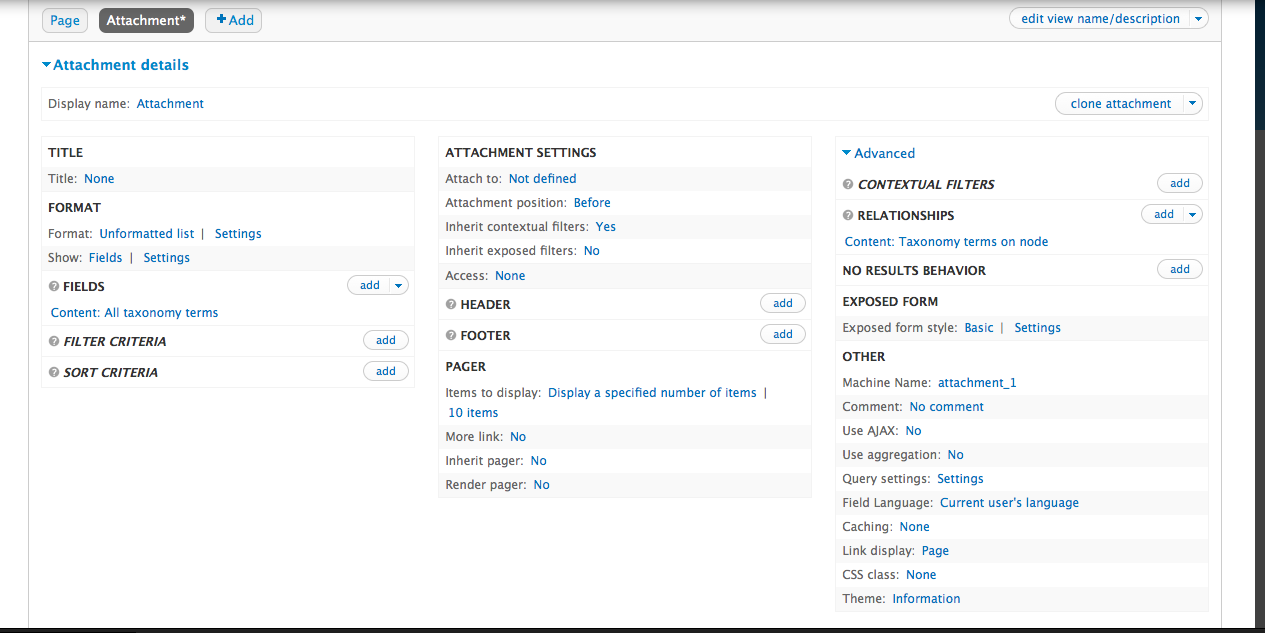
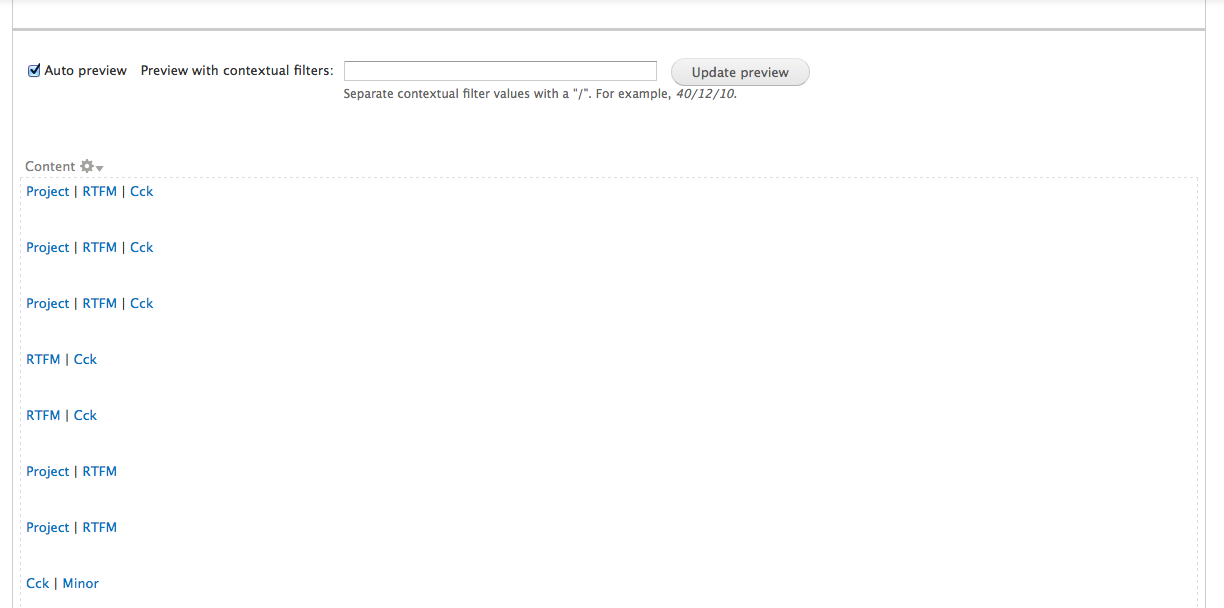
The other attachments are what I have accomplish so far, as you can see I was able to display the articles and the taxonomy terms as part of the attachments but got stuck on making the terms unique and styled as a menu or something like it.
Any help is appreciated.
Thanks.
Richard
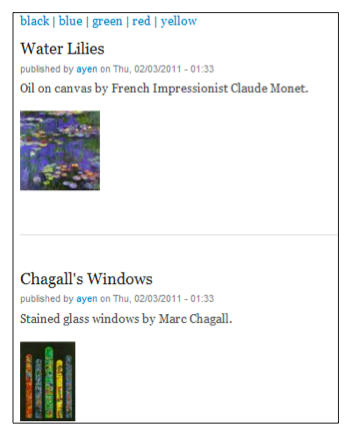
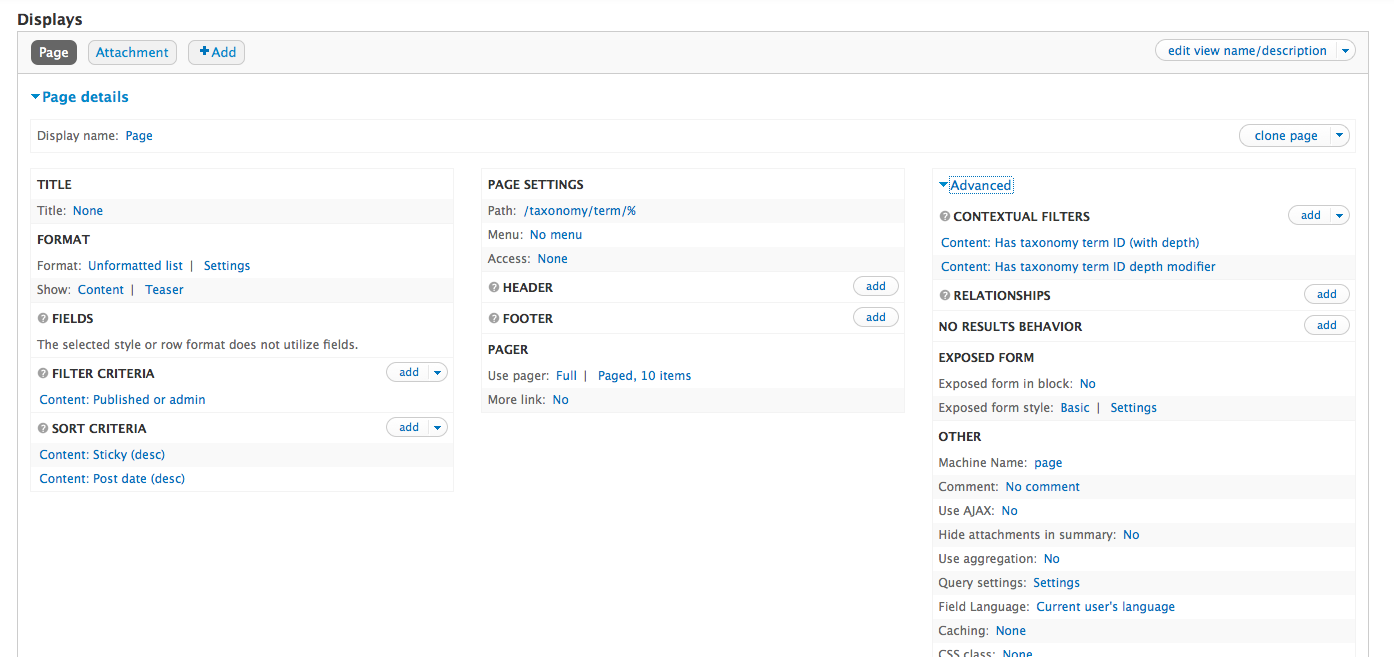
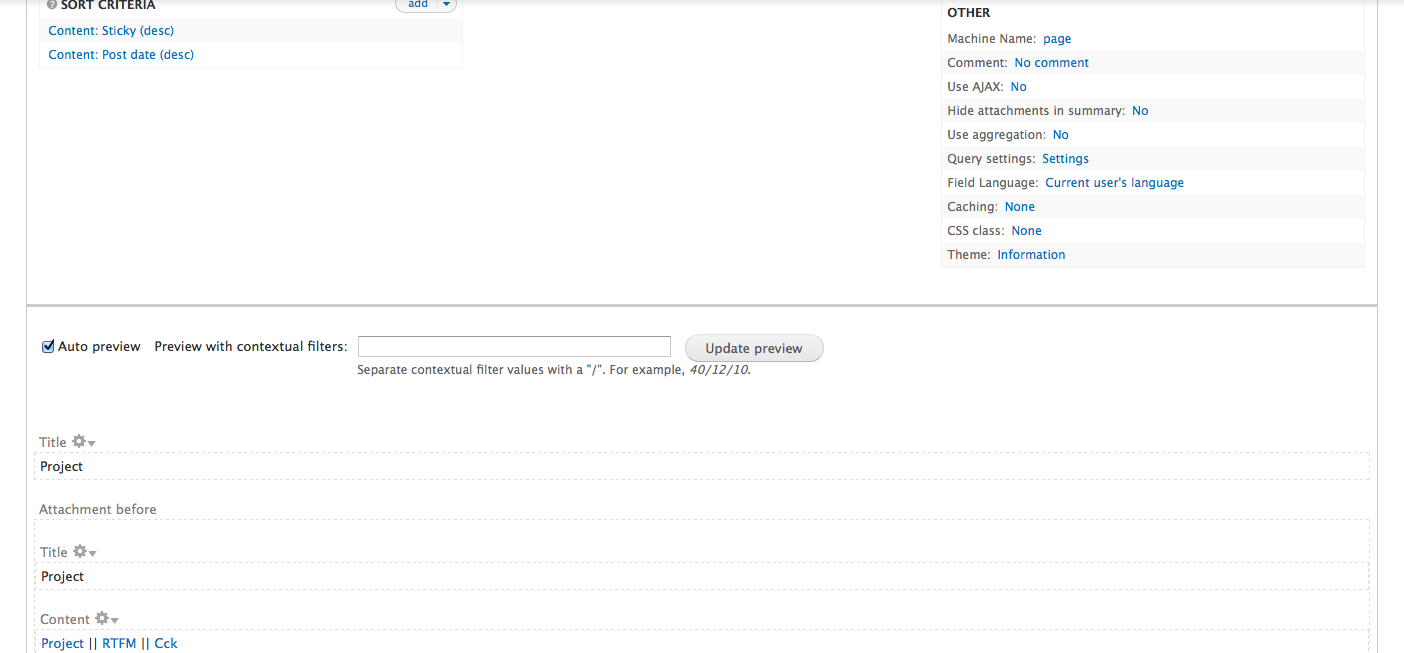

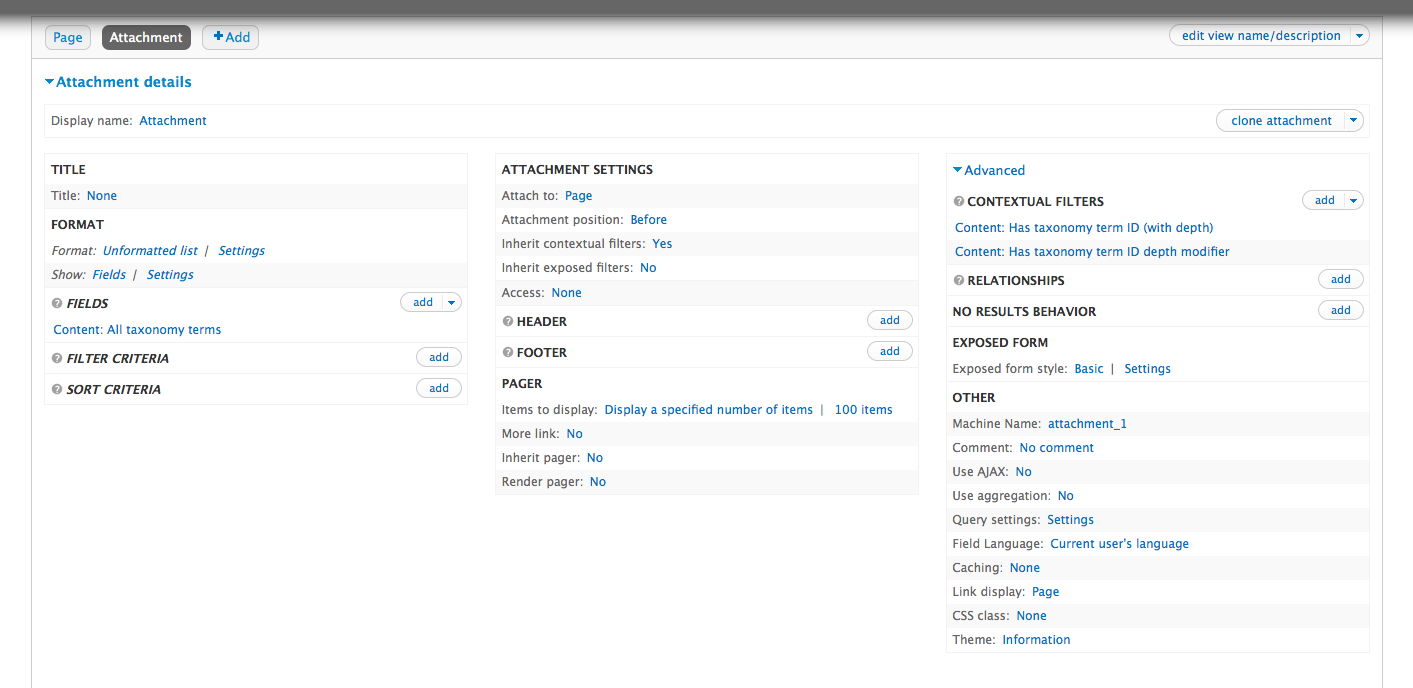

The screen shots were a bit confusing, but if I read this correctly, you want what you see in the first pic, right? Views 3?
If it were me, I'd have two displays, like what you have. A Page and an Attachment built using Taxonomy (not a requirement, but if you use Content, this can get a bit convoluted with Relationships). The Attachment would be the 'Menu' and the page would be the display of all of the nodes with that taxonomy term.
The list of nodes/Page Path would be /taxonomy/% (So, for instance in the picture, you have 'red'. The path would be example.com/taxonomy/red) Contextual Filters would be Term ID. I don't know where you're going with the depth part of it, but I don't think it requires it, from the description/picture. In Relationships, I would add Taxonomy Term: Content with term. If that works, great! I don't think you can use relationships, though, with Teasers, so you'll have to build these with Fields (using the relationship built above).
The menu/Attachment I would use Fields (Under Show: Content (change this to fields)). The field would be Taxonomy term. I'd turn off the auto-link-to-term-page, turn on the custom link, link to /taxonomy/[term] (or whatever Views lists on replacement patterns). Format would be Unformatted list. Then you can style the View to be menu style using CSS. If that doesn't work, you could create a View of the Taxonomy Vocabulary, then show all Terms, in the Field Settings, you can make them Inline with a separator. That would limit it to only one Vocabulary, though.
Hope that helps. I may have missed a step or two, but you should get the idea from what I have there.
Joel
From: support-bounces@drupal.org [mailto:support-bounces@drupal.org] On Behalf Of richard reyes Sent: Wednesday, May 30, 2012 10:16 AM To: support@drupal.org Subject: [support] Displaying taxonomy as menus
Hi Guys,
I have been trying to work on this as a project, please see attached [taxonomy menu.png]. Its part of the drupal 7 views cookbook but the instructions on the book are outdated. I am having trouble displaying the taxonomy terms as menu's like the ones on the screenshot.
The other attachments are what I have accomplish so far, as you can see I was able to display the articles and the taxonomy terms as part of the attachments but got stuck on making the terms unique and styled as a menu or something like it.
Any help is appreciated.
Thanks.
Richard
Thanks as always Joel. I will try these.
Richard
On Wed, May 30, 2012 at 11:57 PM, Joel Willers joel.willers@sigler.comwrote:
The screen shots were a bit confusing, but if I read this correctly, you want what you see in the first pic, right? Views 3?
If it were me, I'd have two displays, like what you have. A Page and an Attachment built using Taxonomy (not a requirement, but if you use Content, this can get a bit convoluted with Relationships). The Attachment would be the 'Menu' and the page would be the display of all of the nodes with that taxonomy term.
The list of nodes/Page Path would be /taxonomy/% (So, for instance in the picture, you have 'red'. The path would be example.com/taxonomy/red) Contextual Filters would be Term ID. I don't know where you're going with the depth part of it, but I don't think it requires it, from the description/picture. In Relationships, I would add Taxonomy Term: Content with term. If that works, great! I don't think you can use relationships, though, with Teasers, so you'll have to build these with Fields (using the relationship built above).
The menu/Attachment I would use Fields (Under Show: Content (change this to fields)). The field would be Taxonomy term. I'd turn off the auto-link-to-term-page, turn on the custom link, link to /taxonomy/[term] (or whatever Views lists on replacement patterns). Format would be Unformatted list. Then you can style the View to be menu style using CSS. If that doesn't work, you could create a View of the Taxonomy Vocabulary, then show all Terms, in the Field Settings, you can make them Inline with a separator. That would limit it to only one Vocabulary, though.
Hope that helps. I may have missed a step or two, but you should get the idea from what I have there.
Joel
From: support-bounces@drupal.org [mailto:support-bounces@drupal.org] On Behalf Of richard reyes Sent: Wednesday, May 30, 2012 10:16 AM To: support@drupal.org Subject: [support] Displaying taxonomy as menus
Hi Guys,
I have been trying to work on this as a project, please see attached [taxonomy menu.png]. Its part of the drupal 7 views cookbook but the instructions on the book are outdated. I am having trouble displaying the taxonomy terms as menu's like the ones on the screenshot.
The other attachments are what I have accomplish so far, as you can see I was able to display the articles and the taxonomy terms as part of the attachments but got stuck on making the terms unique and styled as a menu or something like it.
Any help is appreciated.
Thanks.
Richard
[ Drupal support list | http://lists.drupal.org/ ]
Hang on, you explained that the url would be domain.com/taxonomy/red while the arguments would be term ID. Would that work?
- Richard
On Wed, May 30, 2012 at 11:57 PM, Joel Willers joel.willers@sigler.comwrote:
The screen shots were a bit confusing, but if I read this correctly, you want what you see in the first pic, right? Views 3?
If it were me, I'd have two displays, like what you have. A Page and an Attachment built using Taxonomy (not a requirement, but if you use Content, this can get a bit convoluted with Relationships). The Attachment would be the 'Menu' and the page would be the display of all of the nodes with that taxonomy term.
The list of nodes/Page Path would be /taxonomy/% (So, for instance in the picture, you have 'red'. The path would be example.com/taxonomy/red) Contextual Filters would be Term ID. I don't know where you're going with the depth part of it, but I don't think it requires it, from the description/picture. In Relationships, I would add Taxonomy Term: Content with term. If that works, great! I don't think you can use relationships, though, with Teasers, so you'll have to build these with Fields (using the relationship built above).
The menu/Attachment I would use Fields (Under Show: Content (change this to fields)). The field would be Taxonomy term. I'd turn off the auto-link-to-term-page, turn on the custom link, link to /taxonomy/[term] (or whatever Views lists on replacement patterns). Format would be Unformatted list. Then you can style the View to be menu style using CSS. If that doesn't work, you could create a View of the Taxonomy Vocabulary, then show all Terms, in the Field Settings, you can make them Inline with a separator. That would limit it to only one Vocabulary, though.
Hope that helps. I may have missed a step or two, but you should get the idea from what I have there.
Joel
From: support-bounces@drupal.org [mailto:support-bounces@drupal.org] On Behalf Of richard reyes Sent: Wednesday, May 30, 2012 10:16 AM To: support@drupal.org Subject: [support] Displaying taxonomy as menus
Hi Guys,
I have been trying to work on this as a project, please see attached [taxonomy menu.png]. Its part of the drupal 7 views cookbook but the instructions on the book are outdated. I am having trouble displaying the taxonomy terms as menu's like the ones on the screenshot.
The other attachments are what I have accomplish so far, as you can see I was able to display the articles and the taxonomy terms as part of the attachments but got stuck on making the terms unique and styled as a menu or something like it.
Any help is appreciated.
Thanks.
Richard
[ Drupal support list | http://lists.drupal.org/ ]
The % is any argument you throw in there, and it will be used in the 'Contextual Filters' area. So if you want domain.com/taxonomy/term/subterm/otherargument you'd set the page to taxonomy/%/%/% then set the first Contextual Filter to 'Term' next to the subterm, etc. One example might be a blog, where you have blog/year/month/day/ and set the page to /blog/%/%/% and the contextual filter to Year, then another to Month, then the third to Day. I hope that made sense.
Joel
From: support-bounces@drupal.org [mailto:support-bounces@drupal.org] On Behalf Of richard reyes Sent: Wednesday, May 30, 2012 11:15 AM To: support@drupal.org Subject: Re: [support] Displaying taxonomy as menus
Hang on, you explained that the url would be domain.com/taxonomy/red while the arguments would be term ID. Would that work?
- Richard On Wed, May 30, 2012 at 11:57 PM, Joel Willers joel.willers@sigler.com wrote: The screen shots were a bit confusing, but if I read this correctly, you want what you see in the first pic, right? Views 3?
If it were me, I'd have two displays, like what you have. A Page and an Attachment built using Taxonomy (not a requirement, but if you use Content, this can get a bit convoluted with Relationships). The Attachment would be the 'Menu' and the page would be the display of all of the nodes with that taxonomy term.
The list of nodes/Page Path would be /taxonomy/% (So, for instance in the picture, you have 'red'. The path would be example.com/taxonomy/red) Contextual Filters would be Term ID. I don't know where you're going with the depth part of it, but I don't think it requires it, from the description/picture. In Relationships, I would add Taxonomy Term: Content with term. If that works, great! I don't think you can use relationships, though, with Teasers, so you'll have to build these with Fields (using the relationship built above).
The menu/Attachment I would use Fields (Under Show: Content (change this to fields)). The field would be Taxonomy term. I'd turn off the auto-link-to-term-page, turn on the custom link, link to /taxonomy/[term] (or whatever Views lists on replacement patterns). Format would be Unformatted list. Then you can style the View to be menu style using CSS. If that doesn't work, you could create a View of the Taxonomy Vocabulary, then show all Terms, in the Field Settings, you can make them Inline with a separator. That would limit it to only one Vocabulary, though.
Hope that helps. I may have missed a step or two, but you should get the idea from what I have there.
Joel
From: support-bounces@drupal.org [mailto:support-bounces@drupal.org] On Behalf Of richard reyes Sent: Wednesday, May 30, 2012 10:16 AM To: support@drupal.org Subject: [support] Displaying taxonomy as menus
Hi Guys,
I have been trying to work on this as a project, please see attached [taxonomy menu.png]. Its part of the drupal 7 views cookbook but the instructions on the book are outdated. I am having trouble displaying the taxonomy terms as menu's like the ones on the screenshot.
The other attachments are what I have accomplish so far, as you can see I was able to display the articles and the taxonomy terms as part of the attachments but got stuck on making the terms unique and styled as a menu or something like it.
Any help is appreciated.
Thanks.
Richard -- [ Drupal support list | http://lists.drupal.org/ ]
Hi All,
In reference to this:
*The menu/Attachment I would use Fields (Under Show: Content (change this to fields)). The field would be Taxonomy term. I'd turn off the auto-link-to-term-page, turn on the custom link, link to /taxonomy/[term] (or whatever Views lists on replacement patterns). Format would be Unformatted list. Then you can style the View to be menu style using CSS. If that doesn't work, you could create a View of the Taxonomy Vocabulary, then show all Terms, in the Field Settings, you can make them Inline with a separator. That would limit it to only one Vocabulary, though.*
I can't make any of the 2 approach work. If I use the 1st one I get this a1.png & a2.png and if I change the [format >> show] from fields to content, everything including the article contents show up.
On this note I will try this: http://drupal.org/project/taxonomy_menu
Any inputs or ideas of a disadvantage of this approach? Both from structural and me learning Drupal perspective?
Best regards,
Richard
-
 Joel Willers
 -
 richard reyes